
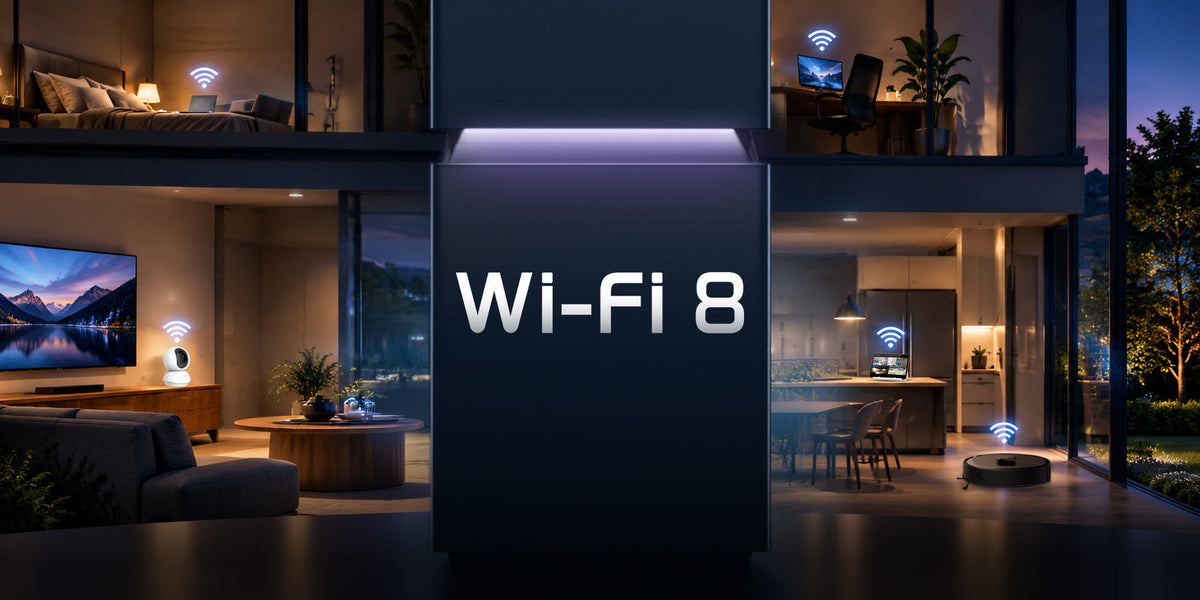
Wi-Fi 8 is the next major step in home Networking & Wi-Fi, but the biggest change isn’t simply about reaching a higher top speed. The new standard is being developed to make connections more reliable when real homes get complicated, when signal weakens upstairs, several devices are online at once, or interference causes sudden slowdowns and dropouts.
That matters because a fast broadband package doesn’t always guarantee a good wireless experience. A speed test can look perfectly fine in the living room, while a video call struggles in the spare room or a camera takes longer to load when the network gets busy.
The real shift is towards consistency, responsiveness and dependable performance across the home. In the sections below, we’ll look at what’s changing, the everyday problems these improvements are designed to address, and what they could mean for a more connected home.
What Is Wi-Fi 8?
Wi-Fi 8 is the consumer name widely used for the next Wi-Fi standard being developed by the IEEE, the organisation that develops the technical standards behind Wi-Fi technologies, known as 802.11bn.
The work is being led by IEEE 802.11 Task Group BN, the specialist task group responsible for developing the 802.11bn standard. Its focus is Ultra High Reliability (UHR), reflecting a broader shift towards making Wi-Fi performance more dependable and predictable under changing network conditions.
Rather than treating Wi-Fi 8 features as another list of bigger specifications, it is more useful to look at how they support four broader goals: more reliable coverage, steadier performance, better handling of interference and more consistent latency.
TP-Link’s Wi-Fi 8 White Paper explains why that shift matters. Instead of increasing maximum theoretical speed again, Wi-Fi 8 puts more emphasis on keeping connections stable when signal strength drops, interference increases or more devices compete for the network.

If you’d like to learn more about Wi-Fi 8, watch the video below for a closer look at how it works and what it means for your home network.
Wi-Fi 6 vs Wi-Fi 7 vs Wi-Fi 8: What’s Different?
Wi-Fi 6 focused heavily on efficiency, helping networks handle more connected devices without performance falling away as quickly. Wi-Fi 7 took a bigger step in speed and capacity, introducing technologies designed to move more data and make better use of available wireless spectrum.
Wi-Fi 8 builds on that progress, but its main direction is different. Rather than chasing another major increase in headline peak speed, it is being developed around Ultra High Reliability (UHR), with greater emphasis on keeping performance stable when signal is weaker, interference is higher or many devices and access points are active at the same time.
| Wi-Fi 6 | Wi-Fi 7 | Wi-Fi 8 | |
|---|---|---|---|
| IEEE standard | 802.11ax | 802.11be | 802.11bn |
| Main direction | Network efficiency and capacity | Higher throughput and capacity | Ultra High Reliability (UHR) |
| Maximum channel width | 160 MHz | 320 MHz | 320 MHz |
| Maximum modulation | 1024-QAM | 4096-QAM | 4096-QAM |
| Multi-Link Operation | — | Yes | Enhanced |
| Theoretical maximum speed | 9.6 Gbps | 46 Gbps | 46 Gbps |
| Key features | WPA3 DL&UL MU-MIMO OFDMA TWT |
MLO Multi-RU and puncturing |
Improved coverage
Improved throughput
Reduced latency
|
| What changes most for users | Better handling of busy networks | Much higher wireless capacity and speed | More consistent performance, coverage and latency |
Three Everyday Wi-Fi Problems Wi-Fi 8 Is Designed to Improve
From our perspective, these are the three areas where Wi-Fi 8 could make the biggest difference to everyday home use.
Wi-Fi That Changes from Room to Room
Many UK homes are awkward for wireless coverage. Thick walls, extensions, loft conversions, kitchens full of appliances, and even where the broadband line enters the property can leave you with a “good room” and one or two “problem rooms”.
Wi-Fi 8’s reliability direction is expected to help connections stay usable and steady as signal weakens. So the spare-room office, bedroom or garden room behaves less like a different planet. If you use a mesh system, the hope is that roaming and coordination between access points becomes smoother, so your laptop doesn’t cling to the wrong node or stutter when you move about.
It won’t remove the basics: router placement still matters (open, central where possible, not tucked behind the telly), and larger properties may still need mesh and/or wired backhaul for the most consistent results.
A Network That Struggles When Everyone Is Online
The “my Wi-Fi is slow” moment often arrives when the household is busiest: a couple of streams in the living room, a Teams call in the kitchen, someone downloading a big game update, phones scrolling in bed, and a doorbell or camera uploading clips in the background.
Even with plenty of broadband bandwidth, Wi-Fi can become a scheduling problem, devices are competing for airtime. Wi-Fi 8 is being developed with busy, high-device environments in mind, with the goal of making performance feel less stop-start when lots of devices are active. The consumer win would be fewer situations where one heavy task seems to derail everything else.
Random Lag, Dropouts and Unstable Performance
Some Wi-Fi problems are frustrating because they’re unpredictable. A connection can feel perfectly fine, then suddenly lag or drop for a few seconds.
This is where TP-Link’s focus on deterministic reliability becomes particularly relevant. The White Paper looks beyond average speed and highlights the importance of reducing latency spikes and inconsistent performance when interference or network demand changes. For gaming, video calls and live camera feeds, that consistency can matter more than achieving a higher peak speed.
What Wi-Fi 8 Means for a More Connected Home
Home Wi-Fi now supports far more than laptops and phones. TVs, consoles, work devices, speakers, security cameras and smart-home products can all be active at the same time.
As more Wi-Fi 8 devices enter the home, performance will also depend on how routers, mesh systems and compatible devices work together. Wi-Fi 8 is being developed to keep time-sensitive tasks like calls, gaming and live camera feeds more responsive while the rest of the network stays busy.
TP-Link’s Wi-Fi 8 range also shows how the technology can be applied to different home-network setups. The Archer 8 Ultra is a Wi-Fi 8 router, while the Deco 8 Ultra brings Wi-Fi 8 to a whole-home mesh system designed to extend connectivity across the home. Both use Stability Engine, with a focus on stronger coverage, managing congestion and reducing interference. For connectivity away from home, the Roam 8 is a Wi-Fi 8 VPN travel router with strong VPN capability.

Does Wi-Fi 8 Mean Faster Internet?
Not in the way most people mean it. Broadband speed is what your ISP delivers into the home. Wi-Fi is how your router distributes that connection wirelessly to your devices. A Wi-Fi 8 router can’t turn a 150 Mbps broadband package into 900 Mbps.
What it could do is reduce the gap between the speed arriving at the router and what your devices actually get around the home, particularly in weaker rooms or at busy times. For many households, that’s the upgrade that matters: less variation, fewer dips, and more predictable performance.
Wi-Fi 8 can also improve performance within your home network, where data moves directly between devices without relying on your internet connection. For example, when backing up files to a NAS, transferring large files between computers, streaming locally stored 4K video, or streaming a PC game to another screen, the speed of your broadband package is not the main limit.
In these situations, stronger and more efficient wireless connections, particularly between Mesh nodes, can help data move around the home faster and more consistently. This can make local file transfers quicker and high-bandwidth activities smoother, even when Mesh nodes are connected wirelessly rather than through Ethernet cables.
Should You Upgrade to Wi-Fi 8?
Our recommendation is to start with the problem you are trying to solve, rather than upgrading simply because a new Wi-Fi generation is available.
If your current Wi-Fi already gives you reliable coverage and stable performance, there is little reason to replace it purely for the Wi-Fi 8 label. But if you regularly experience weak coverage, congestion from multiple devices or latency during gaming, streaming and video calls, a newer Wi-Fi 8 router can offer more meaningful benefits.
TP-Link Archer 8 ULTRA Wi-Fi 8 Router is designed around these types of problems:
- For inconsistent coverage: Its StabilityEngine and 18 internal antennas are designed to maintain a stronger, more consistent connection across the home, including areas affected by distance, walls and interference.
- For busy multi-device homes: Archer 8 Ultra supports up to 200 connected devices, with smarter channel access designed to keep the network responsive when more devices are competing for bandwidth.
- For gaming and streaming: AI QoS identifies and prioritises important traffic in real time, helping reduce lag and buffering when the network is busy.
- For demanding home networks: Multi-gig connectivity, including two 10G WAN/LAN ports and four 2.5G LAN ports, gives NAS devices, gaming PCs and other wired equipment more room for high-speed local transfers.
For households facing these challenges, Archer 8 Ultra offers a practical way to upgrade to Wi-Fi 8, with pre-orders available from 30 September.

Archer 8 ULTRA
Pre-orders available from 30 September
Conclusion
For us, the most interesting part of Wi-Fi 8 isn’t another bigger number on a specification sheet. It’s the shift towards making Wi-Fi more dependable in the situations where home networks often struggle: weaker rooms, busy networks and sudden drops in performance.
If your current setup already works well, there’s no need to rush. But if reliability is something you want to improve, Wi-Fi 8 is a generation worth watching.
You can now pre-order the Archer 8 ULTRA Wi-Fi 8 Router from the Tapo Store and be among the first to experience Wi-Fi 8. If you’re looking to improve your home network today, you can also explore the latest networking solutions available through our online store.

Leave a comment
All comments are moderated before being published.
This site is protected by hCaptcha and the hCaptcha Privacy Policy and Terms of Service apply.